网上很多加速github的工具,但是由于使用人数多,效果时好时坏,后来发现可以使用cloudflare搭建自己专属的加速工具,故记录一下搭建流程及使用方式
前提条件
- 需要有cloudflare账号
- 需要有一个域名(国内外都行,需要用cloudflare接管。免费的不清楚)
- 免费版每天10w次,个人使用完全足够。
部署加速服务
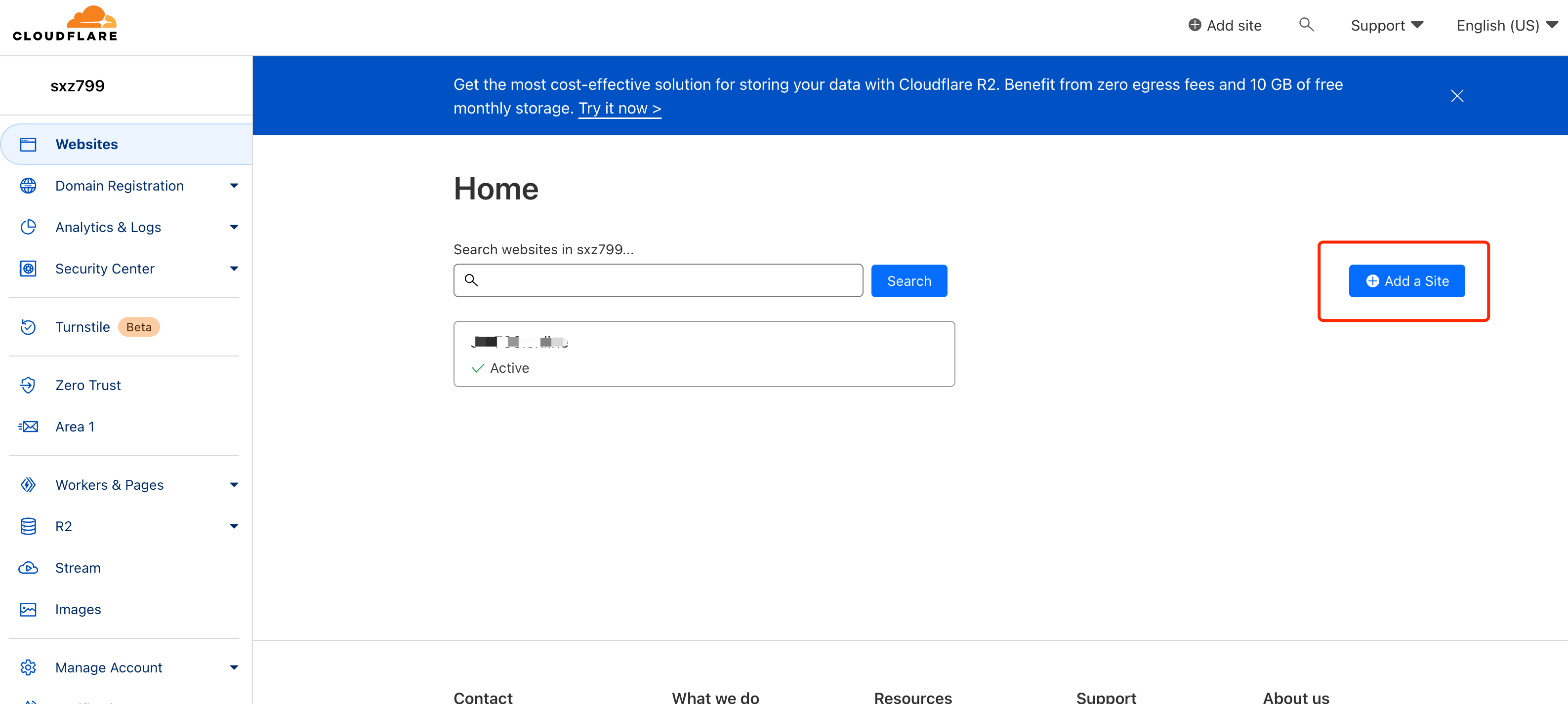
一、使用cloudflare接管域名解析服务。
 由于域名服务商的设置方式不同,这里就不详细介绍了,百度搜一下,教程很多的。
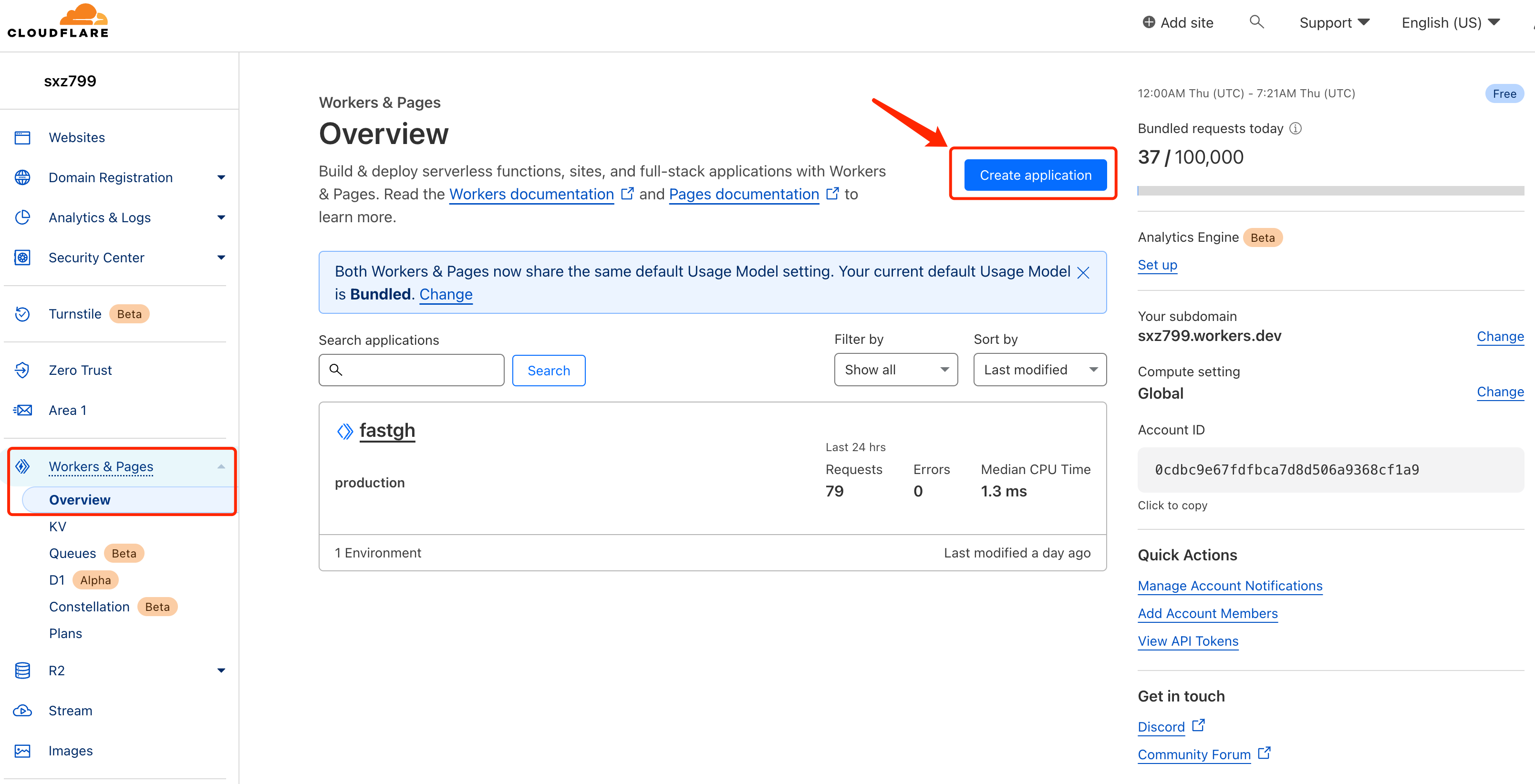
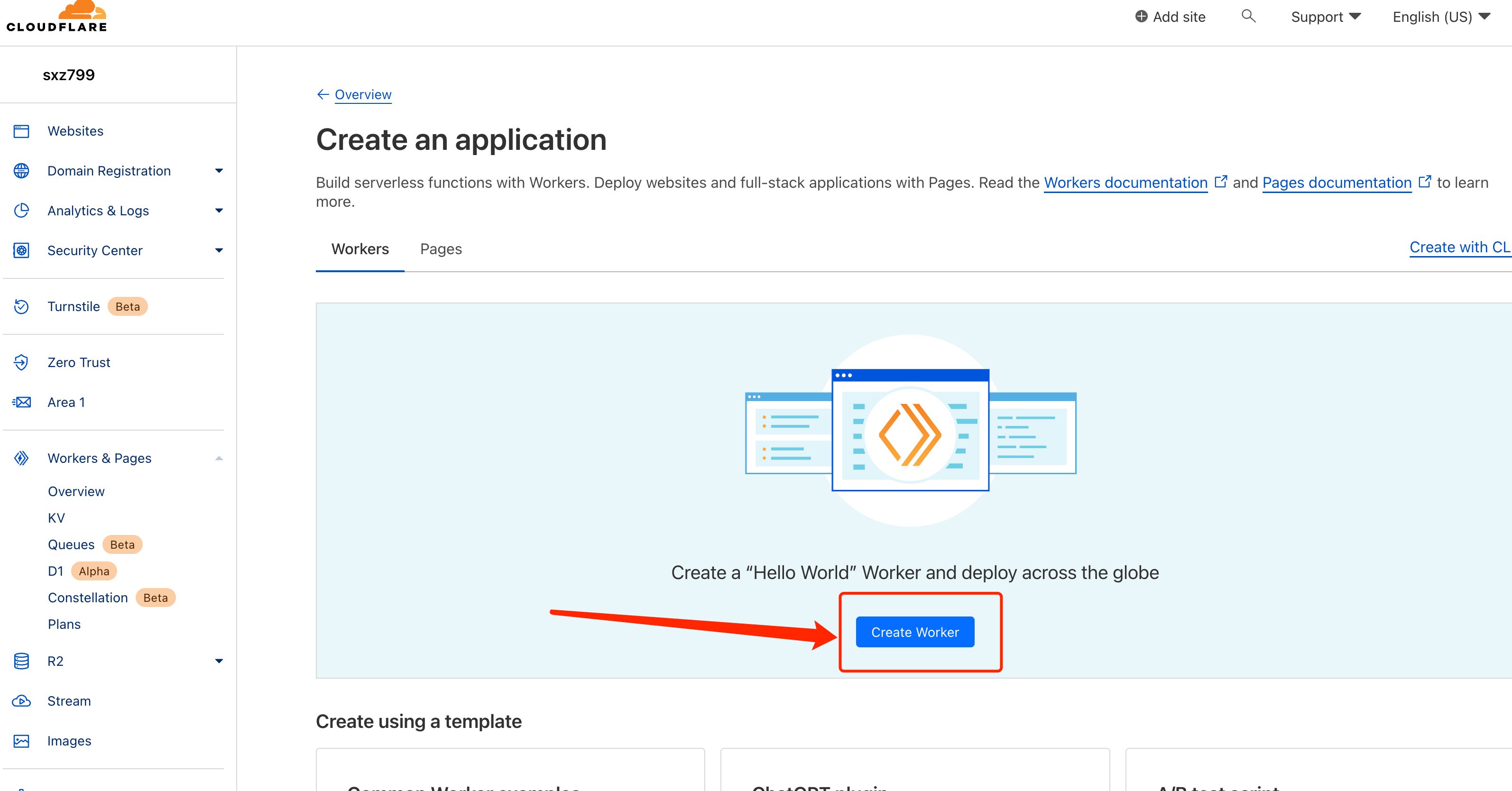
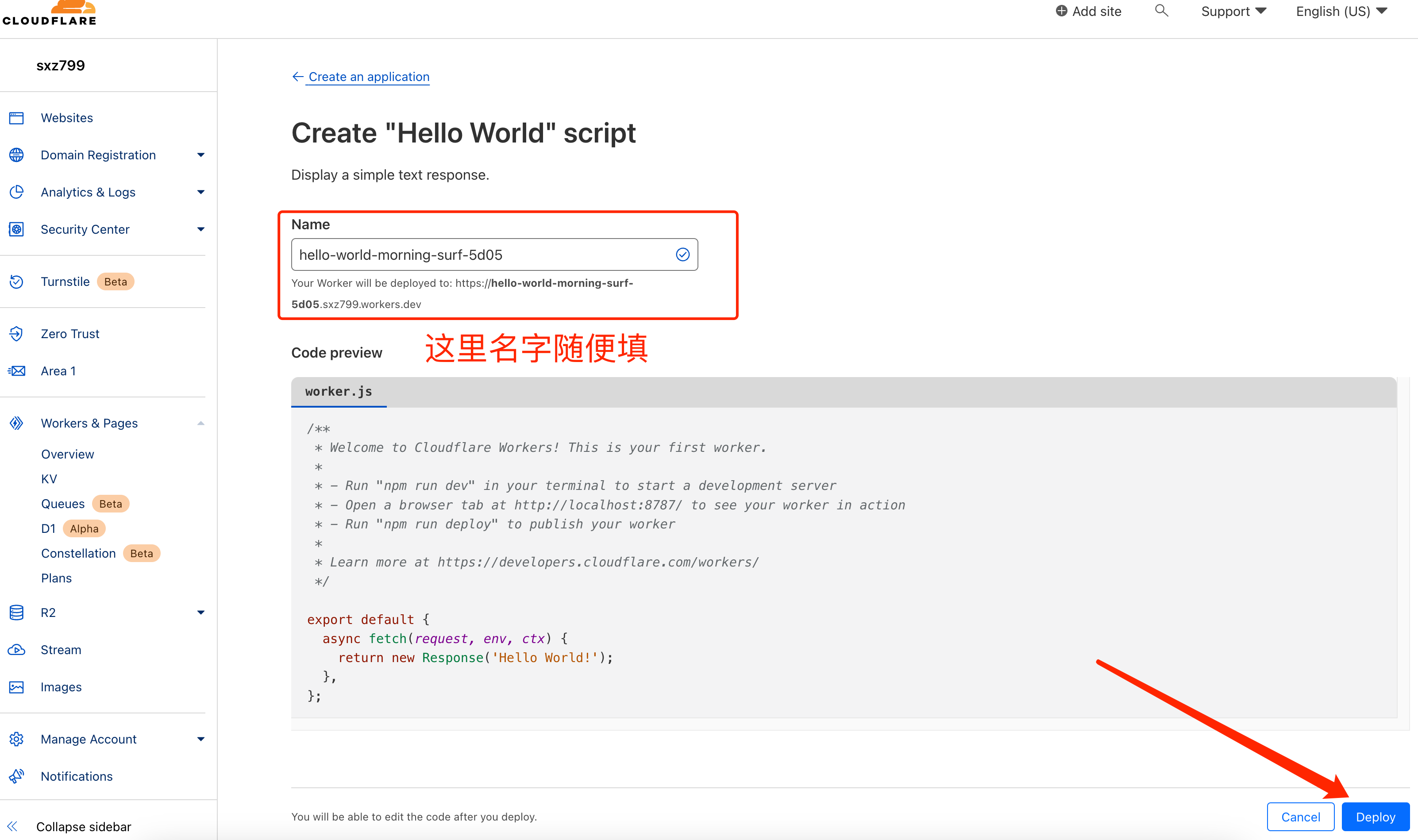
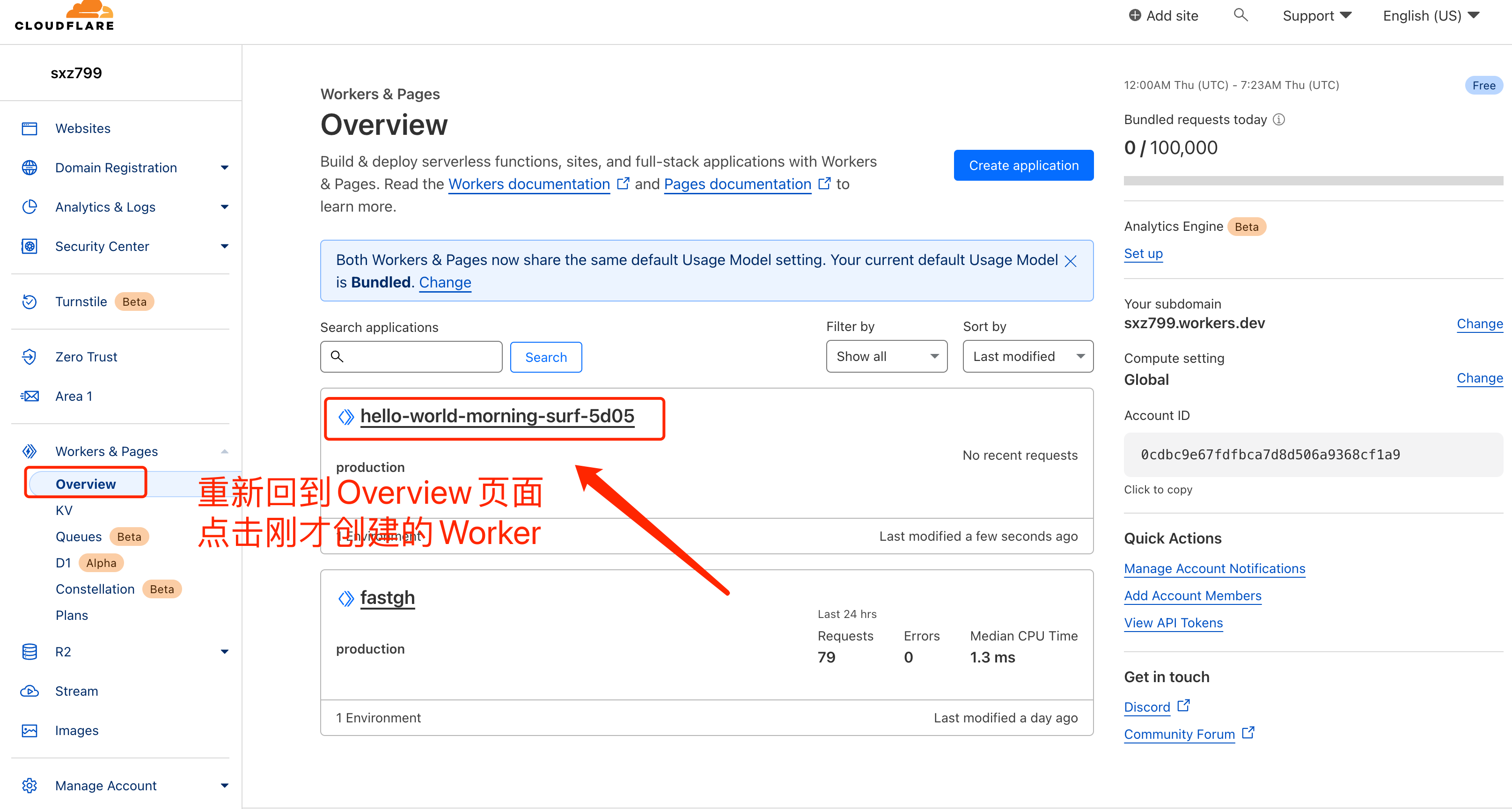
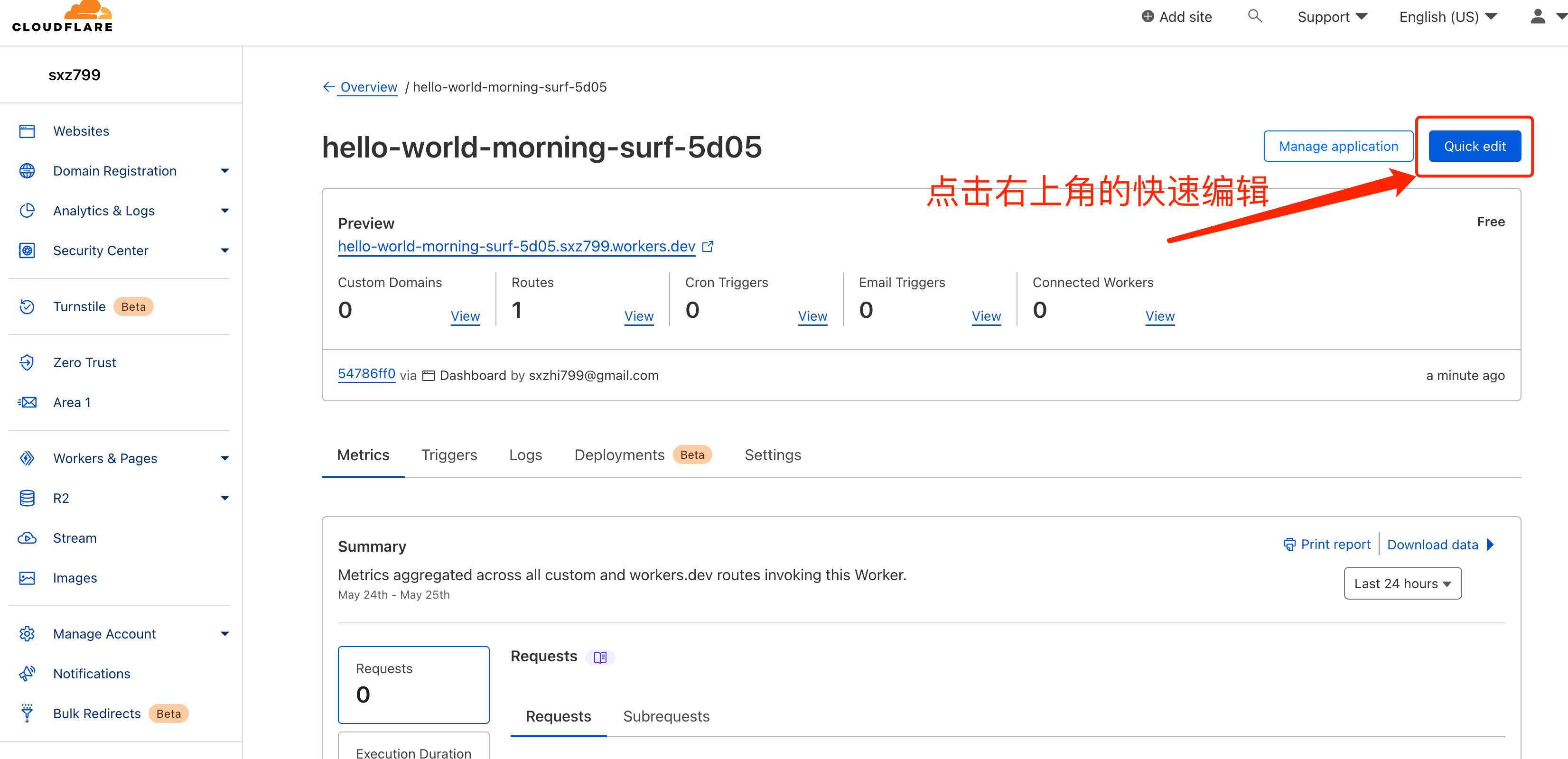
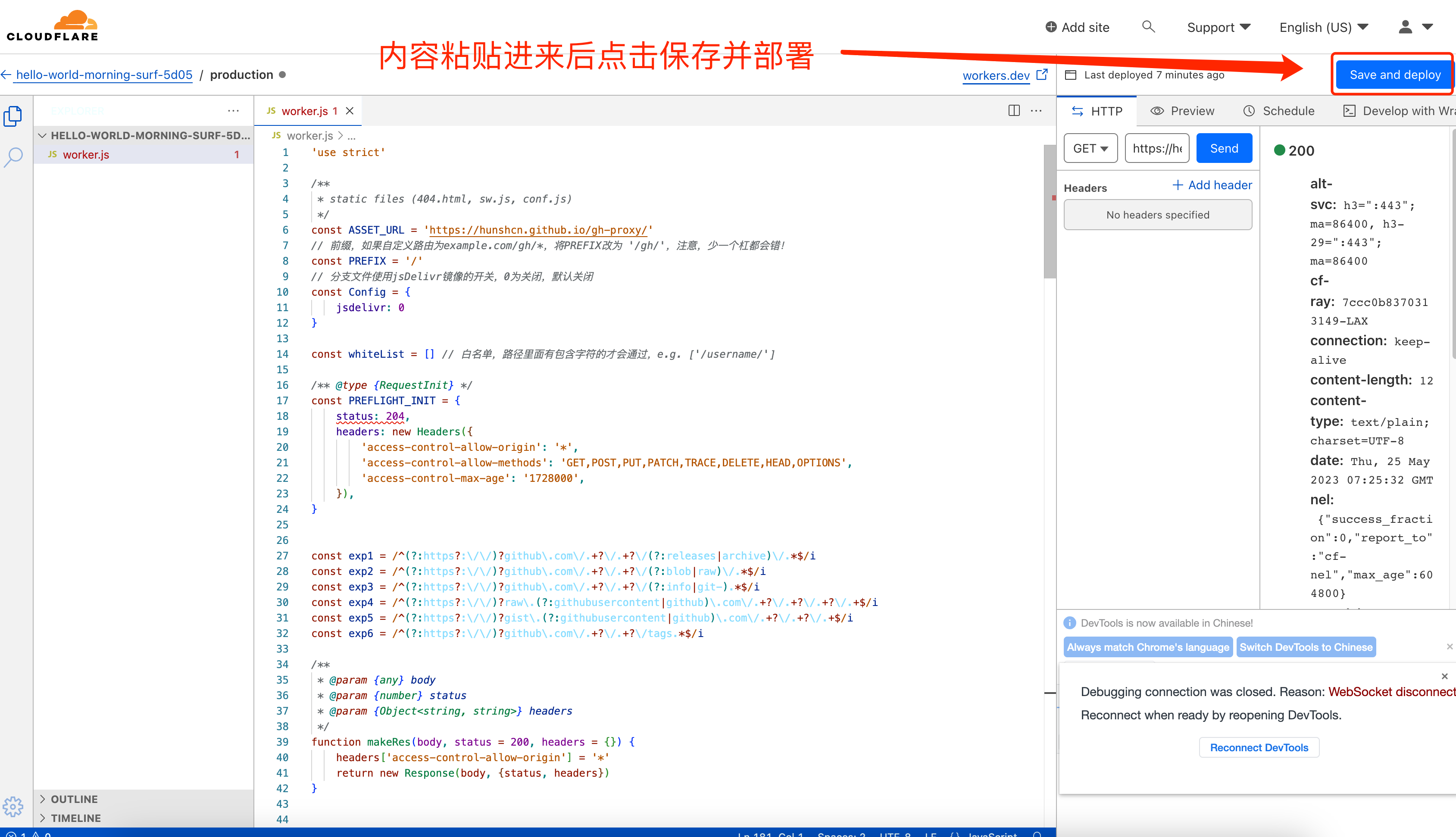
二、添加Cloudflare Worker服务
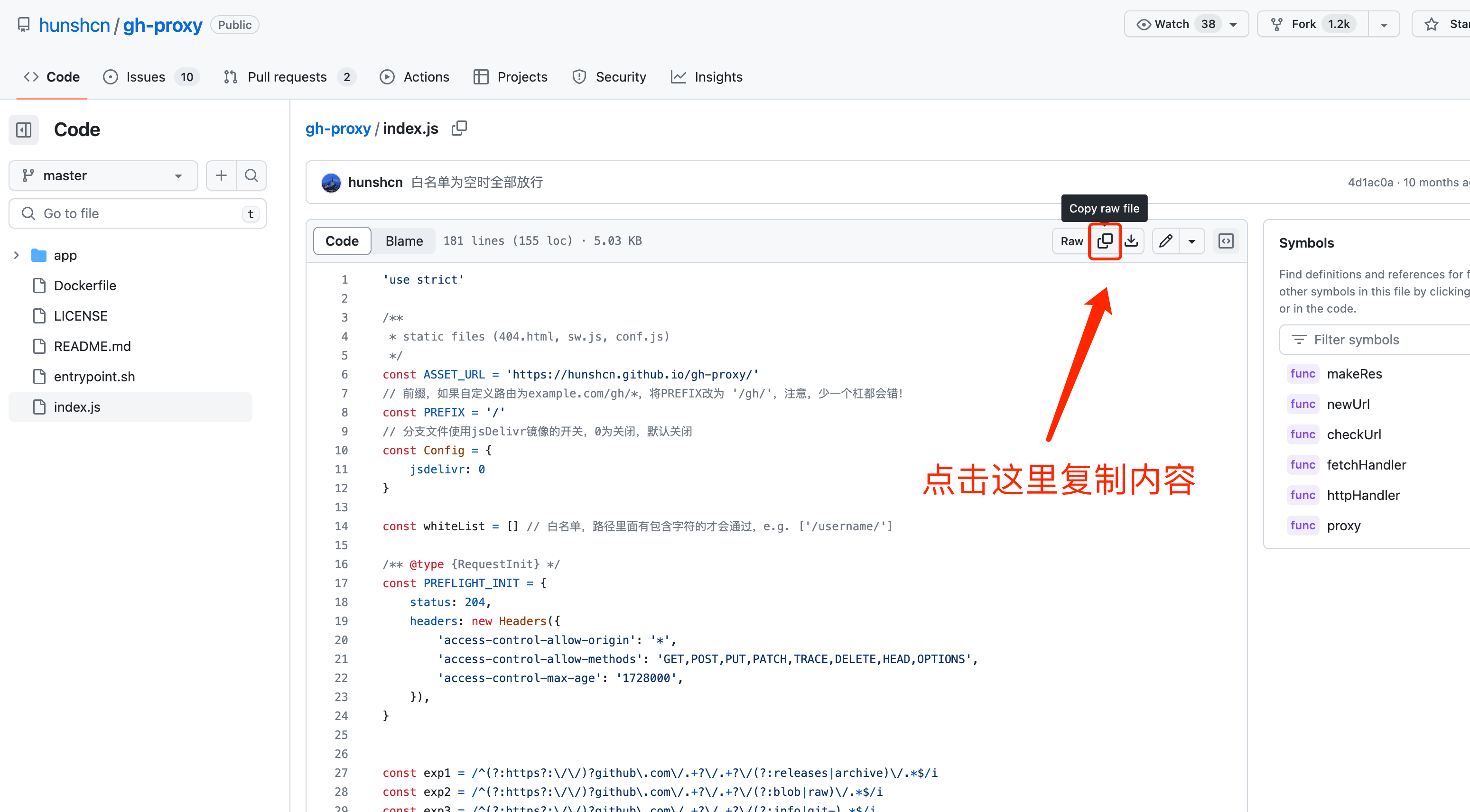
进到作者github项目内
https://github.com/hunshcn/gh-proxy
找到index.js文件
或者直接点击
https://github.com/hunshcn/gh-proxy/blob/master/index.js
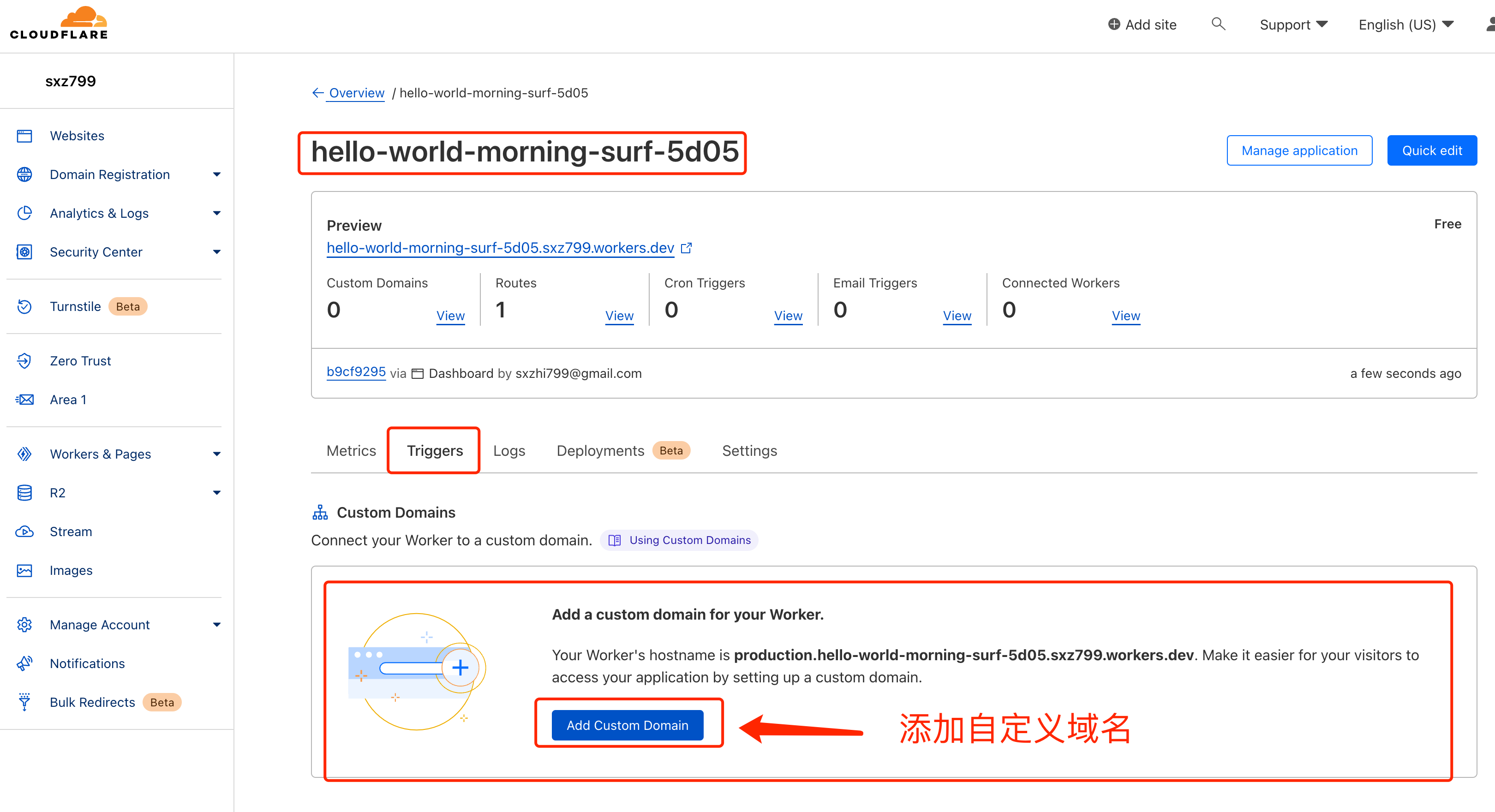
三、配置自定义域名
由于workers.dev国内环境无法访问,需要配置自定义域名
此时打开https://gh.xxxyyy.com应该就是能看如下画面了
使用加速服务提高github下载速度
一、使用油猴脚本
油猴插件这里不再介绍了,自己创建一个脚本 内容如下
 1
 2
 3
 4
 5
 6
 7
 8
 9
10
11
12
13
14
15
16
17
18
19
20
21
22
23
24
25
26
27
28
29
30
31
32
33
34
35
36
37
38
39
40
41
42
43
44
45
46
47
48
49
50
51
52
53
54
55
56
57
58
59
60
61
62
63
64
65
66
67
68
69
70
| // ==UserScript==
// @name github-加速下载
// @namespace https://blog.sxz799.asia/
// @version 1.0
// @description github-加速下载
// @author sxz799
// @match https://github.com/*
// @grant none
// ==/UserScript==
(function() {
'use strict';
var proxy_url = 'https://gh.xxxyyy.com/';
const download_url_fast = [proxy_url+'https://github.com', '加速下载', 'Cloudflare CDN加速']
const svg = [
'<svg class="octicon octicon-file-zip mr-2" aria-hidden="true" height="16" viewBox="0 0 16 16" version="1.1" width="16" data-view-component="true"><path fill-rule="evenodd" d="M3.5 1.75a.25.25 0 01.25-.25h3a.75.75 0 000 1.5h.5a.75.75 0 000-1.5h2.086a.25.25 0 01.177.073l2.914 2.914a.25.25 0 01.073.177v8.586a.25.25 0 01-.25.25h-.5a.75.75 0 000 1.5h.5A1.75 1.75 0 0014 13.25V4.664c0-.464-.184-.909-.513-1.237L10.573.513A1.75 1.75 0 009.336 0H3.75A1.75 1.75 0 002 1.75v11.5c0 .649.353 1.214.874 1.515a.75.75 0 10.752-1.298.25.25 0 01-.126-.217V1.75zM8.75 3a.75.75 0 000 1.5h.5a.75.75 0 000-1.5h-.5zM6 5.25a.75.75 0 01.75-.75h.5a.75.75 0 010 1.5h-.5A.75.75 0 016 5.25zm2 1.5A.75.75 0 018.75 6h.5a.75.75 0 010 1.5h-.5A.75.75 0 018 6.75zm-1.25.75a.75.75 0 000 1.5h.5a.75.75 0 000-1.5h-.5zM8 9.75A.75.75 0 018.75 9h.5a.75.75 0 010 1.5h-.5A.75.75 0 018 9.75zm-.75.75a1.75 1.75 0 00-1.75 1.75v3c0 .414.336.75.75.75h2.5a.75.75 0 00.75-.75v-3a1.75 1.75 0 00-1.75-1.75h-.5zM7 12.25a.25.25 0 01.25-.25h.5a.25.25 0 01.25.25v2.25H7v-2.25z"></path></svg>',
'<svg aria-hidden="true" height="16" viewBox="0 0 16 16" version="1.1" width="16" data-view-component="true" class="octicon octicon-copy js-clipboard-copy-icon d-inline-block"><path fill-rule="evenodd" d="M0 6.75C0 5.784.784 5 1.75 5h1.5a.75.75 0 010 1.5h-1.5a.25.25 0 00-.25.25v7.5c0 .138.112.25.25.25h7.5a.25.25 0 00.25-.25v-1.5a.75.75 0 011.5 0v1.5A1.75 1.75 0 019.25 16h-7.5A1.75 1.75 0 010 14.25v-7.5z"></path><path fill-rule="evenodd" d="M5 1.75C5 .784 5.784 0 6.75 0h7.5C15.216 0 16 .784 16 1.75v7.5A1.75 1.75 0 0114.25 11h-7.5A1.75 1.75 0 015 9.25v-7.5zm1.75-.25a.25.25 0 00-.25.25v7.5c0 .138.112.25.25.25h7.5a.25.25 0 00.25-.25v-7.5a.25.25 0 00-.25-.25h-7.5z"></path></svg><svg aria-hidden="true" height="16" viewBox="0 0 16 16" version="1.1" width="16" data-view-component="true" class="octicon octicon-check js-clipboard-check-icon color-fg-success d-inline-block d-sm-none"><path fill-rule="evenodd" d="M13.78 4.22a.75.75 0 010 1.06l-7.25 7.25a.75.75 0 01-1.06 0L2.22 9.28a.75.75 0 011.06-1.06L6 10.94l6.72-6.72a.75.75 0 011.06 0z"></path></svg>',
'<svg class="octicon octicon-cloud-download" aria-hidden="true" height="16" version="1.1" viewBox="0 0 16 16" width="16"><path d="M9 12h2l-3 3-3-3h2V7h2v5zm3-8c0-.44-.91-3-4.5-3C5.08 1 3 2.92 3 5 1.02 5 0 6.52 0 8c0 1.53 1 3 3 3h3V9.7H3C1.38 9.7 1.3 8.28 1.3 8c0-.17.05-1.7 1.7-1.7h1.3V5c0-1.39 1.56-2.7 3.2-2.7 2.55 0 3.13 1.55 3.2 1.8v1.2H12c.81 0 2.7.22 2.7 2.2 0 2.09-2.25 2.2-2.7 2.2h-2V11h2c2.08 0 4-1.16 4-3.5C16 5.06 14.08 4 12 4z"></path></svg>'
]
setTimeout(addDownloadZIP, 2000);
// 等待页面加载完成
// 加速 Github Release 改版为动态加载文件列表,因此需要监控网页元素变化
const callback = (mutationsList, observer) => {
if (location.pathname.indexOf('/releases') === -1) return
for (const mutation of mutationsList) {
for (const target of mutation.addedNodes) {
if (target.nodeType !== 1) return
if (target.tagName === 'DIV' && target.dataset.viewComponent === 'true' && target.classList[0] === 'Box') addRelease();
}
}
};
const observer = new MutationObserver(callback);
observer.observe(document, { childList: true, subtree: true });
// Release
function addRelease() {
let html = document.querySelectorAll('.Box-footer'); if (html.length == 0 || location.pathname.indexOf('/releases') == -1) return
let divDisplay = 'margin-left: -90px;', new_download_url = download_url_fast;
if (document.documentElement.clientWidth > 755) {divDisplay = 'margin-top: -3px;margin-left: 8px;display: inherit;';}; // 调整小屏幕时的样式
for (const current of html) {
if (current.querySelector('.XIU2-RS')) continue
current.querySelectorAll('li.Box-row a').forEach(function (_this) {
let href = _this.href.split(location.host),
url = '', _html = `<div class="XIU2-RS" style="${divDisplay}">`;
url = new_download_url[0] + href[1]
_html += `<a class="btn" href="${url}" title="${new_download_url[2]}" rel="noreferrer noopener nofollow">${new_download_url[1]}</a>`
_this.parentElement.nextElementSibling.insertAdjacentHTML('beforeend', _html + '</div>');
});
}
}
function addDownloadZIP() {
if (document.querySelector('.XIU2-DZ')) return
let html = document.querySelector('#local-panel ul li:last-child');if (!html) return
let href = html.firstElementChild.href,
url = '', _html = '', new_download_url = download_url_fast;
url = new_download_url[0] + href.split(location.host)[1]
_html += `<li class="Box-row Box-row--hover-gray p-3 mt-0 XIU2-DZ"><a class="d-flex flex-items-center color-fg-default text-bold no-underline" rel="noreferrer noopener nofollow" href="${url}" title="${new_download_url[2]}"> ${svg[0]} Download ZIP ${new_download_url[1]}</a></li>`
html.insertAdjacentHTML('afterend', _html);
}
})();
|
只需要替换脚本中的proxy_url为你的加速地址即可
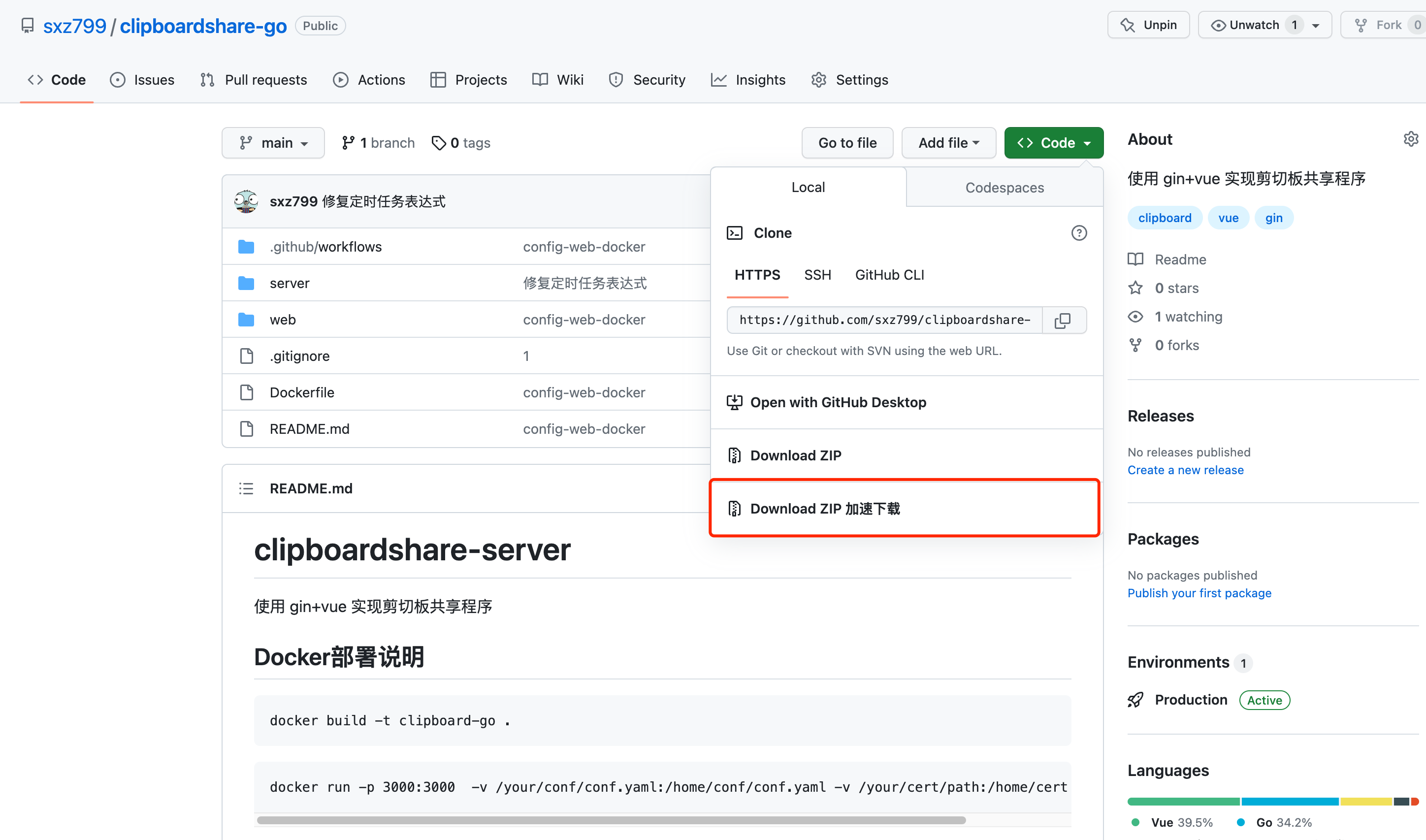
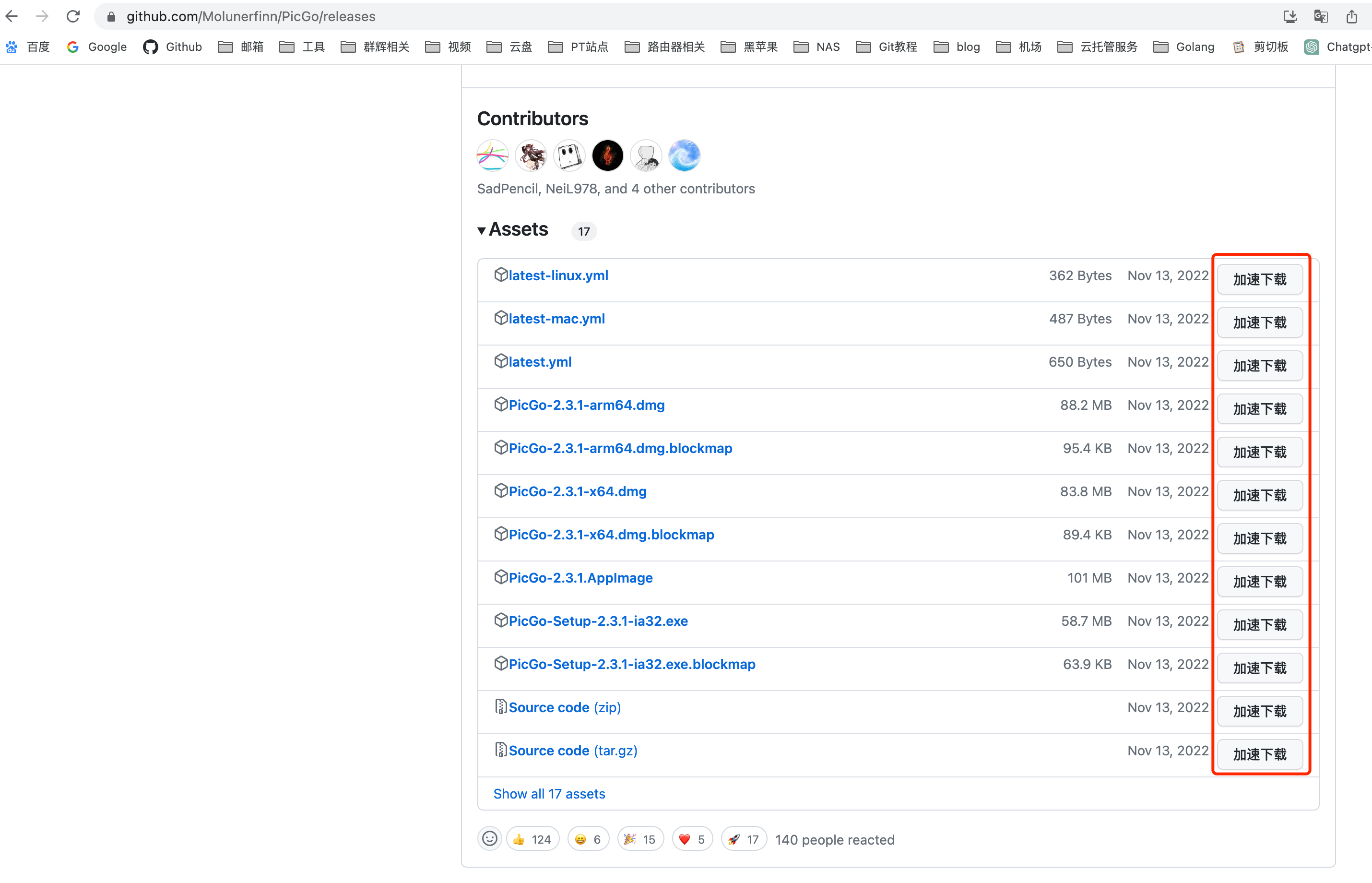
成功加速后 github页面就变成下面的样子了
二、加速PicGo图床
博客一直在用github做图床(不推荐)
设置方式
自定义域名那里填写如下内容即可
1
| https://gh.xxxyyy.com/https://raw.githubusercontent.com/githubUser/repName/main
|
gh.xxxyyy.com替换为前文提到的地址
githubUser/repName/main 替换为你的github用户名及图床仓库名和分支名
 由于域名服务商的设置方式不同,这里就不详细介绍了,百度搜一下,教程很多的。